

Commission
Record a Commission event to bring a new lot into existence in Wholechain, for example when a product is harvested or produced.
Applies to: the Add Events drawer, Event Type Commission
Audience: Anyone who creates the first record of a lot, such as a harvest, catch or production lot
Prerequisites: the product exists as a Trade Item and the Location exists in your account
Related: Wholechain Events Overview; Shared event fields; Observe; Ship; Add Events form reference; Background: Commission Events
Purpose
Use Commission to bring a new lot into existence in Wholechain, for example when a product is harvested or produced. A Commission creates the first record of a lot, so later events have something to refer to.
Before you begin
- Make sure the product exists as a Trade Item and the Location exists.
- Decide the Lot Code for the new lot. For an item tracked by serial, you enter a serial instead, according to the item's Traceability Type.
- The fields every event shares (Date, Time, Time Zone, Business Step, Disposition and so on) are explained once in Shared event fields. This article covers only what is specific to Commission.
Add a Commission
Select Add Events
Select Add Events.
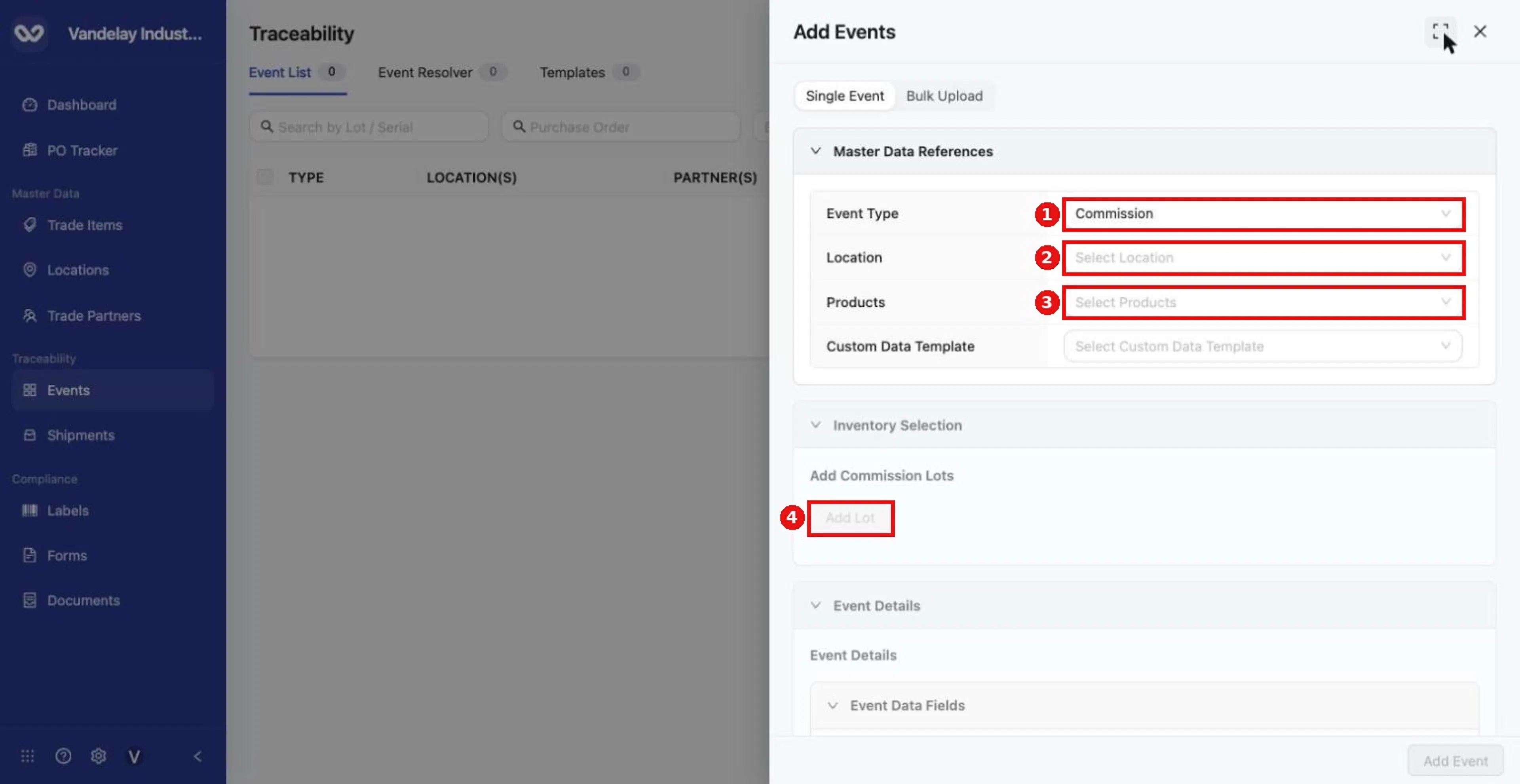
For a Commission, choose Event Type Commission, then a Location and Products. Commission lots are added with Add Lot once products are chosen.
Choose the Event Type, Location and Products
Set Event Type to Commission, choose a Location and choose Products.
Add the lot
Select Add Lot. Choose the product, then enter the Lot Code and Quantity.
Complete Event Details
Complete Event Details (Date, Time, Time Zone, Business Step, Disposition). The form pre-fills Commissioning (CBV) and Active (CBV). Every field is described in Shared event fields.
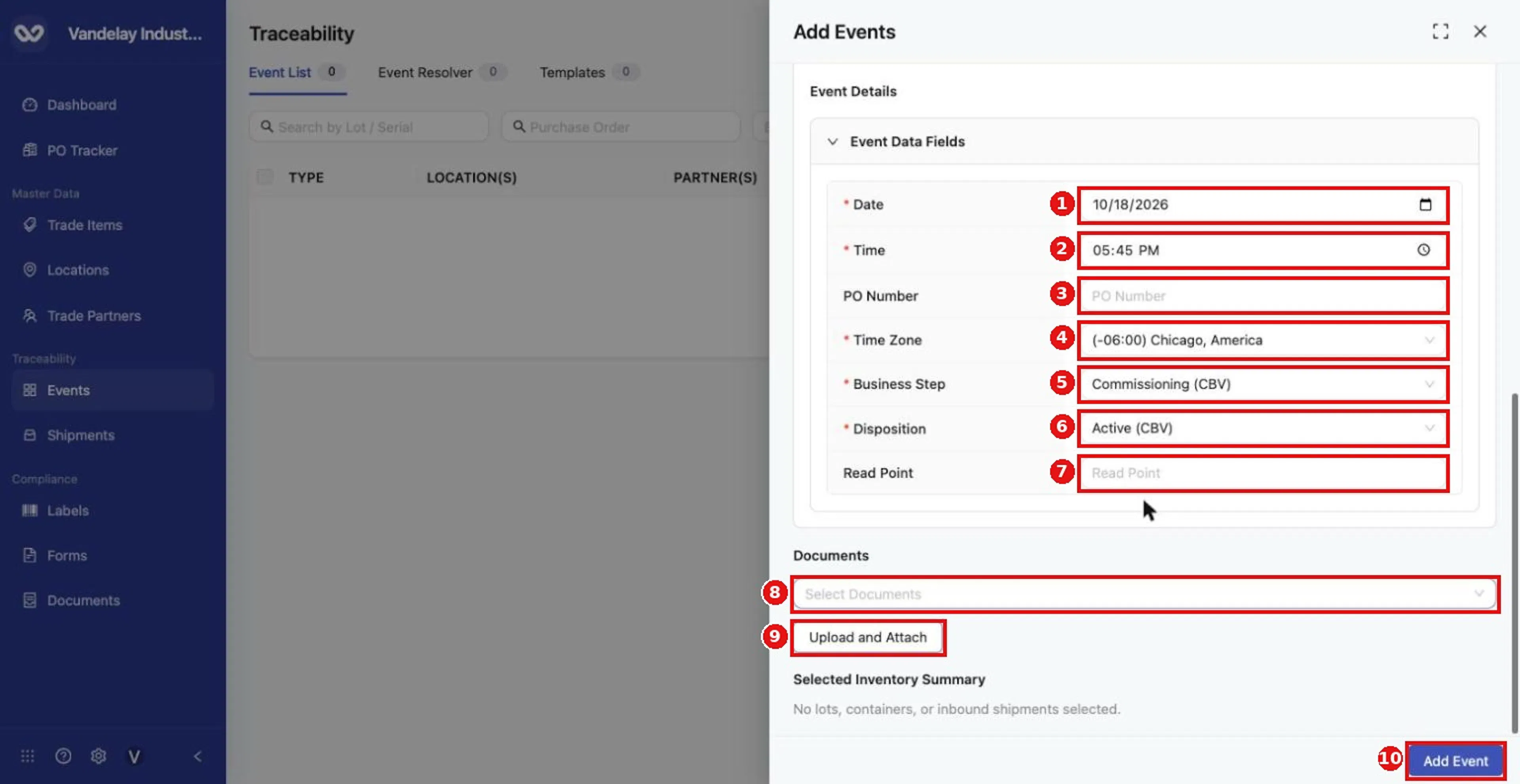
Complete Event Details: Date, Time, PO Number, Time Zone, Business Step, Disposition and Read Point. Required fields carry a red asterisk.
Select Add Event
Select Add Event.
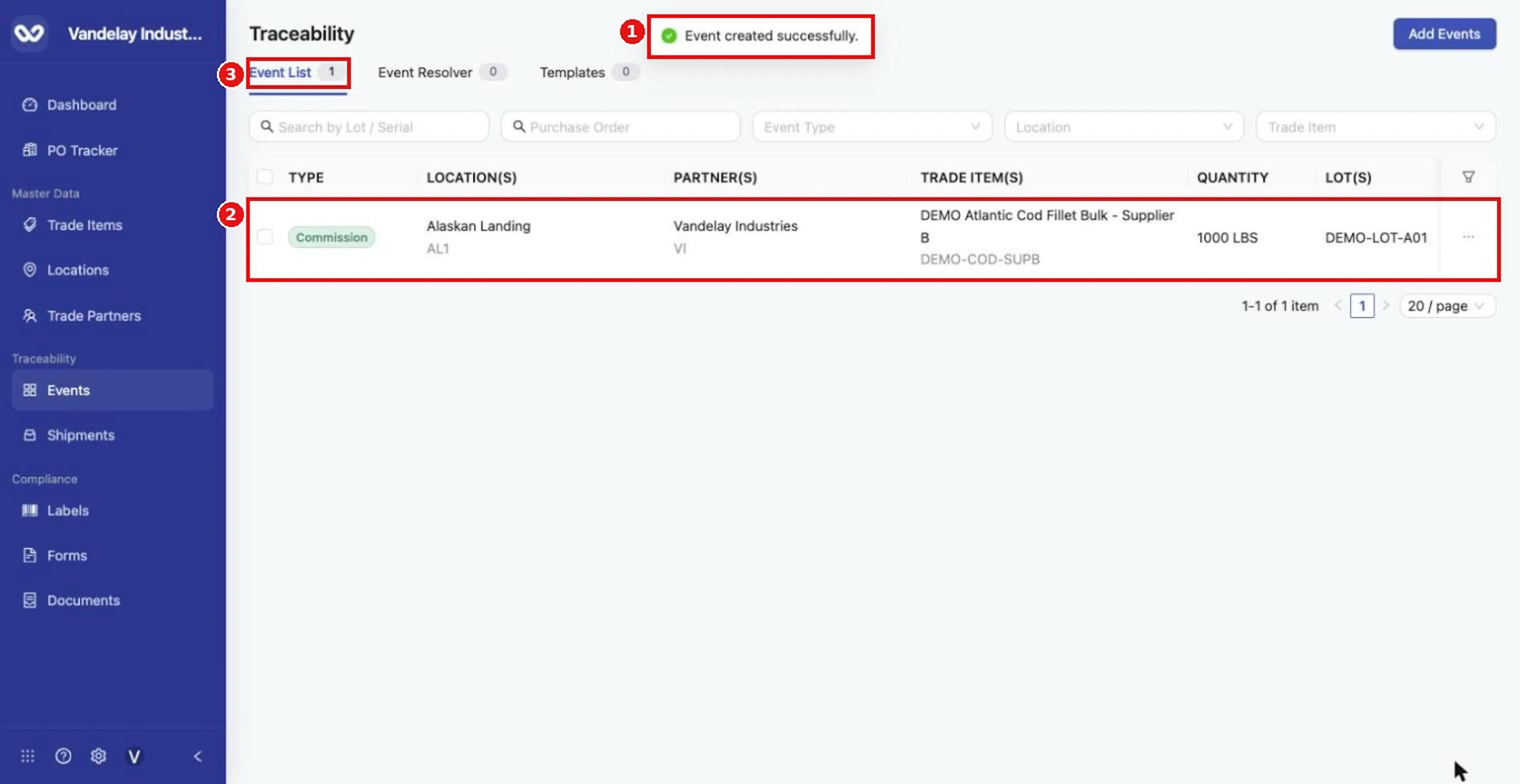
After Add Event, a confirmation appears and the new event is listed in the Event List.
Expected result
A Commission row appears in the Event List with the lot and quantity. Example: DEMO-COD-SUPB, lot DEMO-LOT-A01, 1000 LBS at Alaskan Landing.
Troubleshooting
- Add Lot is greyed out. Choose Products first.
- The lot code already exists. Use a new lot code or check the existing lot in the Event List.
General questions about Add Events are answered in the Events FAQ.
Field and action reference
The common Master Data References fields and the Event Details fields are in Shared event fields. The fields below are specific to Commission.
Defaults for Commission
| Field | Default |
|---|---|
| Business Step | Commissioning (CBV) |
| Disposition | Active (CBV) |
Inventory selection
| Event Type | Inventory Selection |
|---|---|
| Commission | Add Commission Lots: Add Lot creates a row (product, Lot Code, Quantity, Remove). Add Lot is disabled until a product is chosen. Lot Code is required; for an item tracked by serial, a serial is required instead, according to the item's Traceability Type. |