

Archived
Wholechain Settings: Archived.
Applies to: The whole account.
Audience: Admins; users managing master data
Prerequisites: None beyond access to Settings.
Related: Master data settings; Integrations and API keys; Frequently asked questions
Purpose
Review archived Trade Items, documents, Locations, and Trade Partners, and restore them to their active lists.
Before you begin
Where to find it: open Settings with the gear icon at the bottom of the left-hand navigation bar or the Settings button on the Dashboard, then go to Master Data Settings > Archived. It has these sub-tabs: Trade Items, Documents, Location, and Trade Partners.
Steps
Archive rules
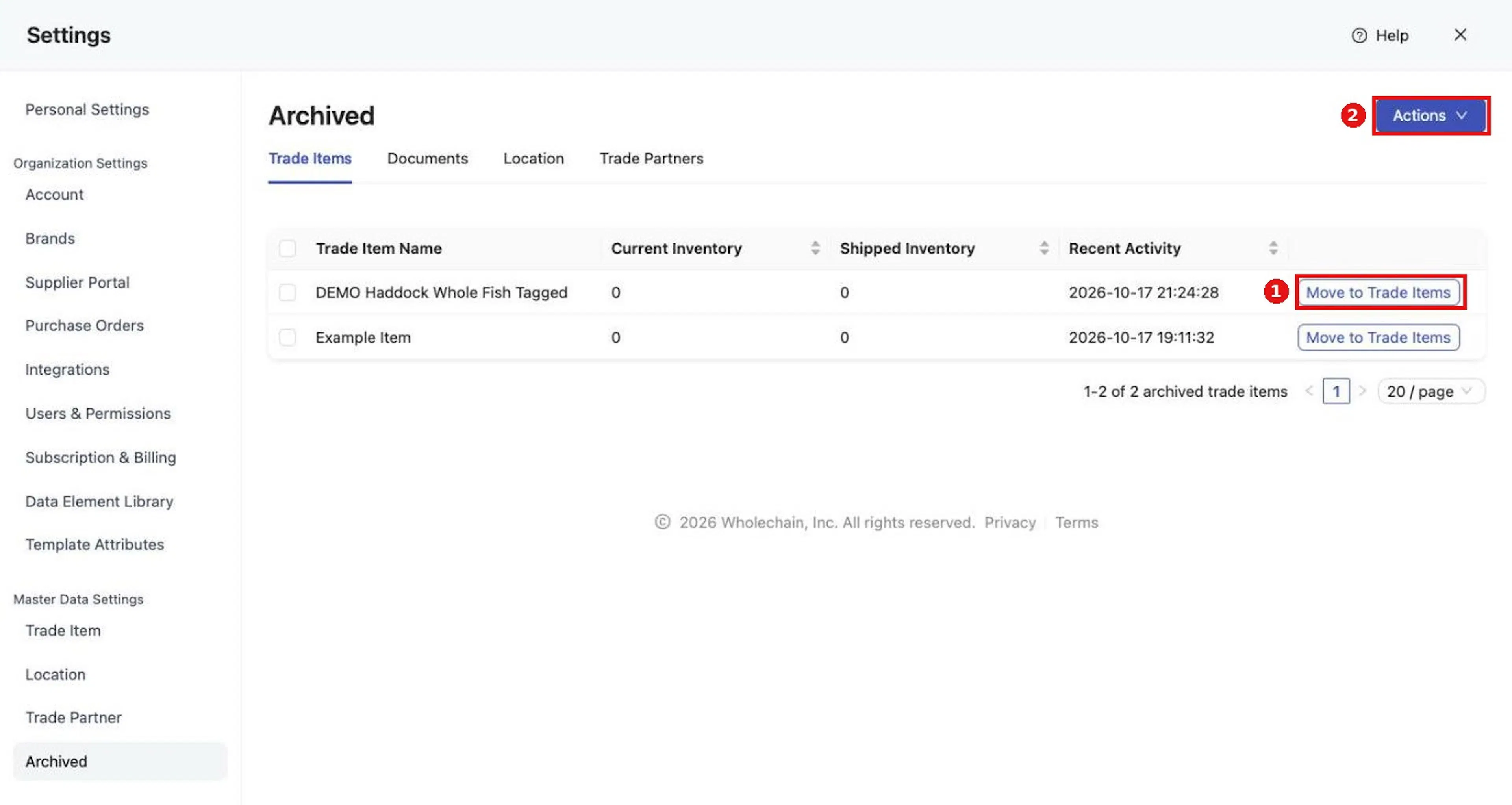
Archiving removes a resource from its active list. The Trade Item table shows Trade Item Name, Current Inventory, Shipped Inventory, and Recent Activity.
Rules:
- Trade Items and Locations cannot be archived while they have active inventory.
- Archived Trade Items and Locations cannot be used in Events.
- Archiving a Trade Partner removes it from integration and EPCIS connections. Restoring the partner does not automatically restore those connections; check your integration and EPCIS setup afterward (see Integrations and API keys).
Restore one resource
Open the relevant tab
Open the relevant tab.
Select Move to on the row
Select Move to on the row (for example Move to Trade Items).
Restore several resources
Tick the checkboxes for the rows you want
Tick the checkboxes for the rows you want. The top of the tab shows how many items are selected.
Open Actions and choose the move option
Open Actions at the top of the tab and choose the move option (for example Move to Trade Items). The option is unavailable until at least one row is selected.
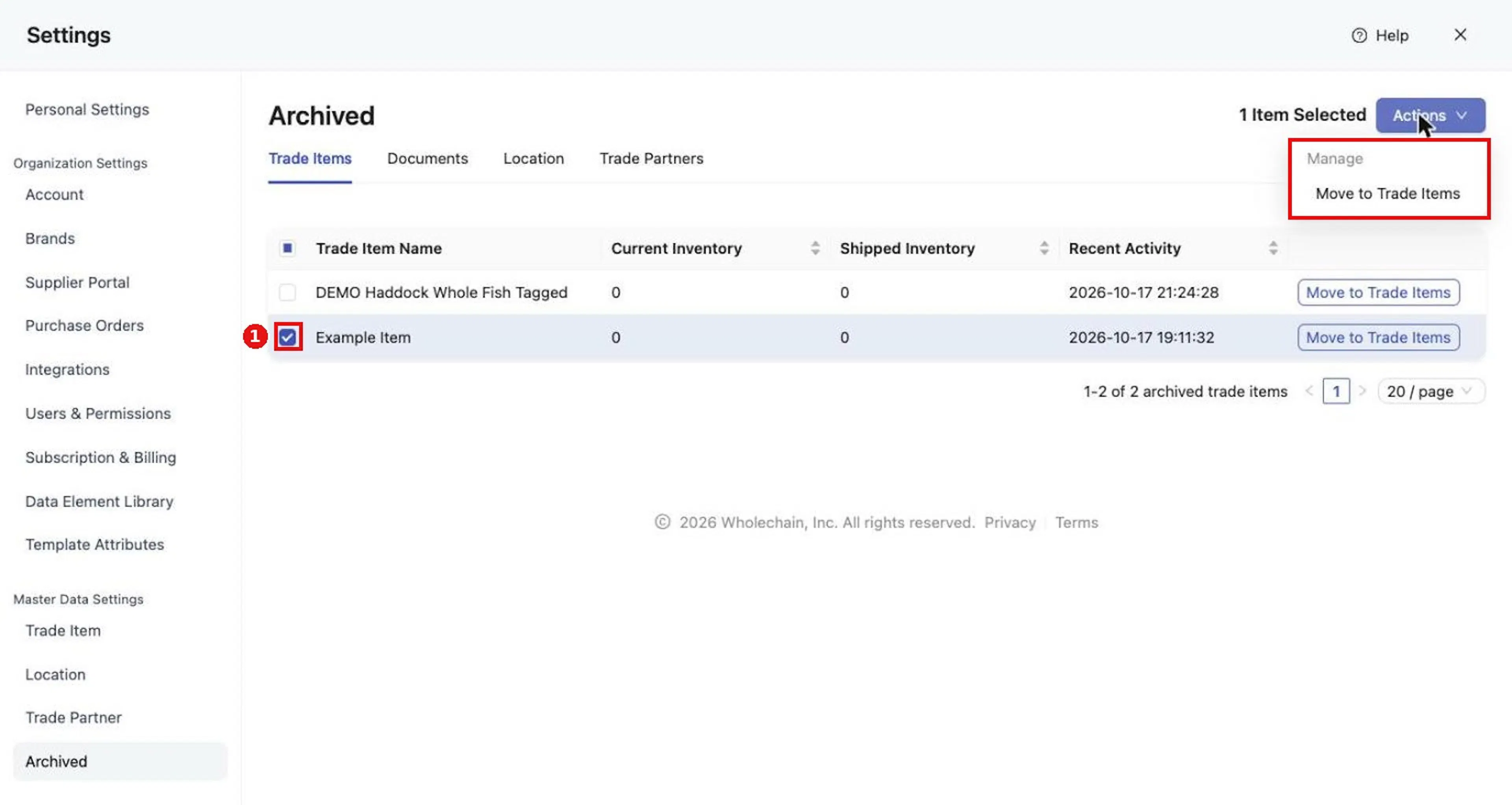
Expected result
A restored resource returns to its active list. Restoring a Trade Partner does not automatically restore its integration and EPCIS connections.
Troubleshooting
- I cannot archive a Trade Item or Location. Trade Items and Locations cannot be archived while they have active inventory.
- An archived Trade Item or Location is missing from events. Archived Trade Items and Locations cannot be used in events.
- The Actions move option is unavailable. Select at least one row first.
For general questions, see Frequently asked questions.