

Automatically created purchase orders
Recognize purchase order records created from traceability events and complete their missing details.
Purpose. Recognize PO records that came from traceability events and complete their details.
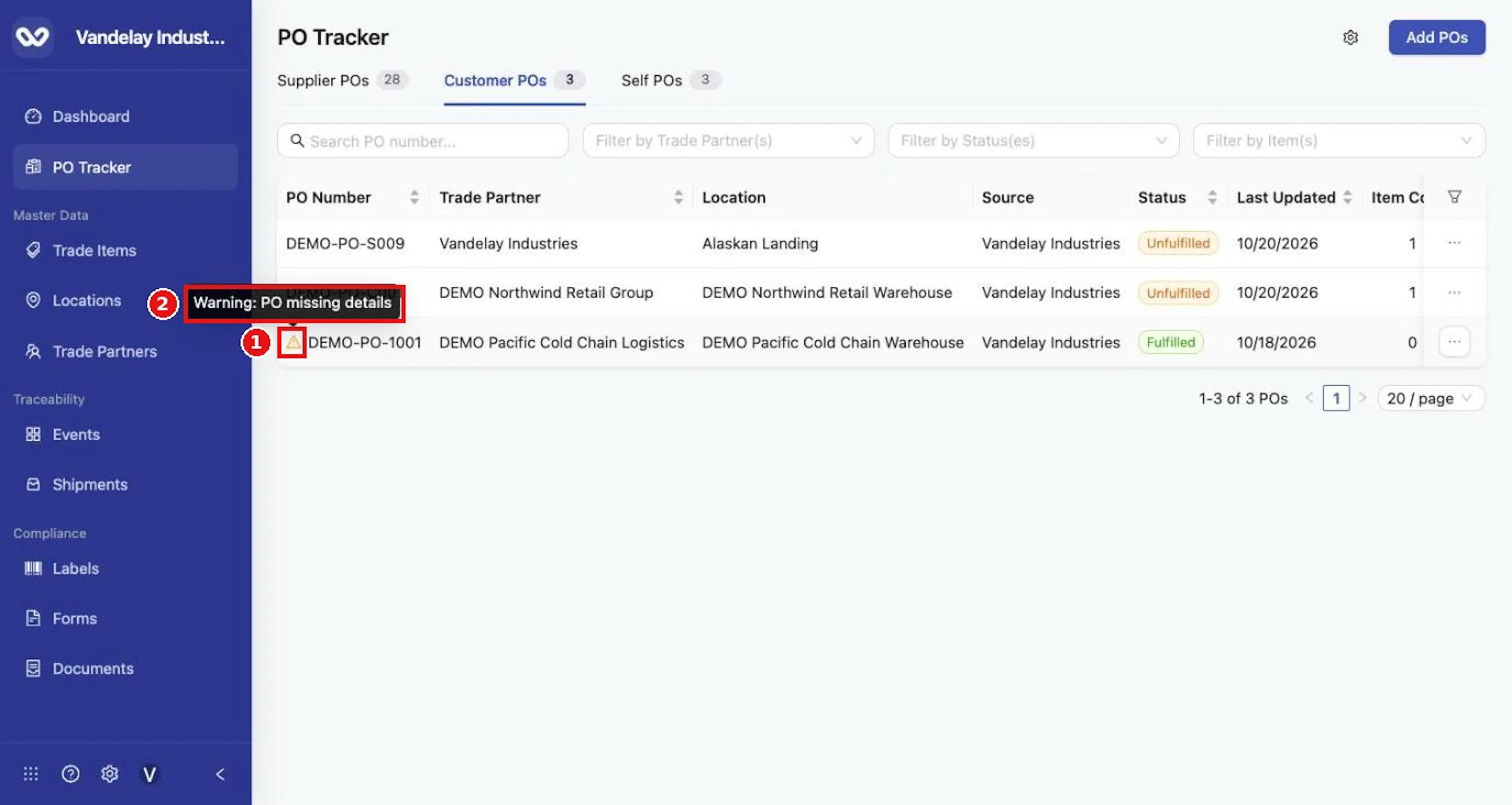
Ship and receive events can create tracker records automatically, following the origin and destination ownership rules in the About PO Tracker page. These rows begin with a yellow warning triangle. Hovering over it explains that PO details are missing because the record came from a traceability event rather than a PO entered first. The warning does not mean the shipment is invalid.
| Added manually or by bulk upload | Created automatically | |
|---|---|---|
| Starts from | The PO details you entered | The event |
| Row menu | View Details, Share PO (Supplier POs), Delete PO | Add Details, Delete PO |
| Details | Complete | Shipping details missing until you add them |
Hover over the warning triangle to read the warning
Hover over the warning triangle to read the warning.
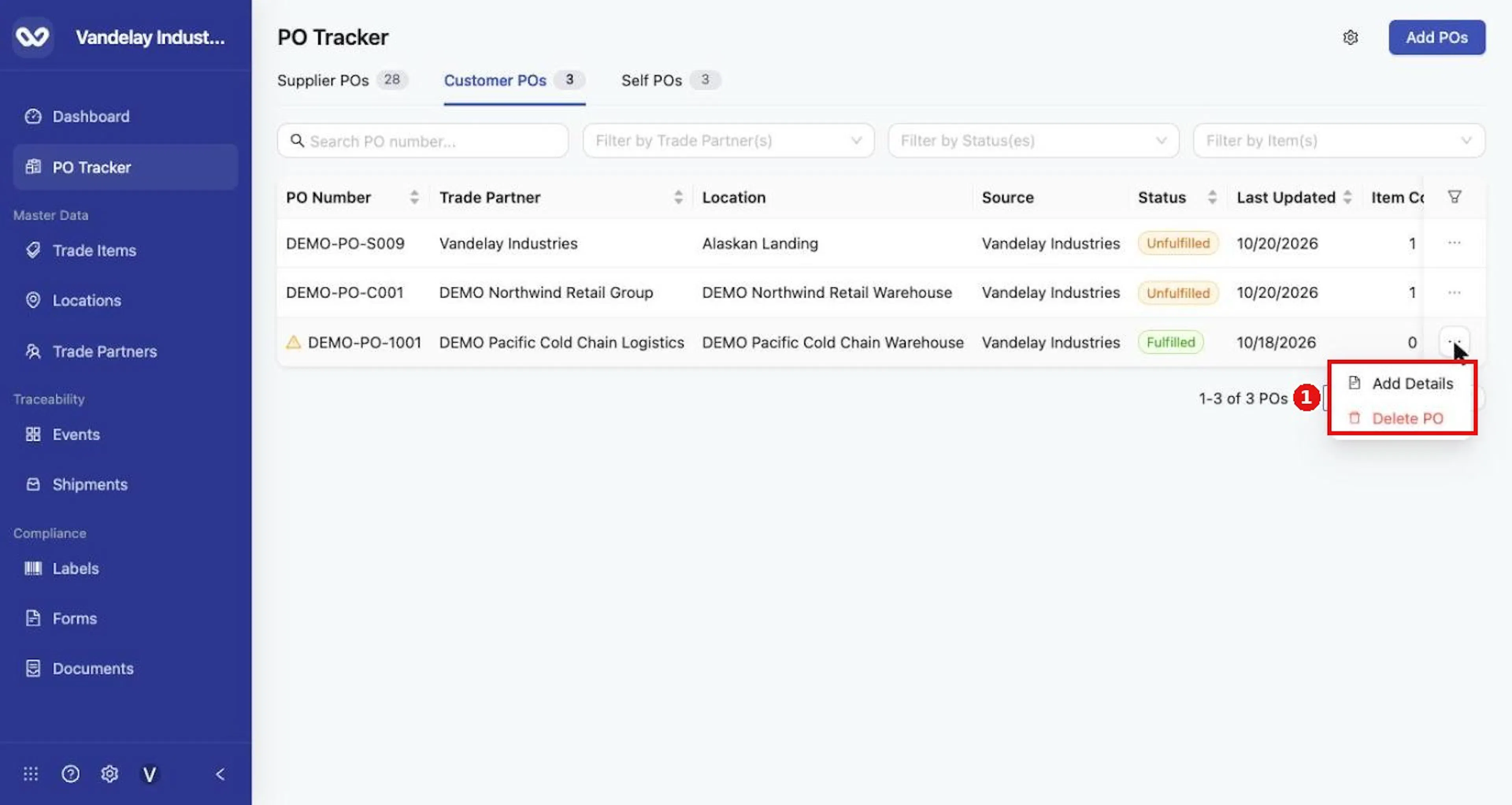
Select Add Details
Select the three dots at the end of the row, then Add Details.
Complete the missing fields in Edit Purchase Order
Complete the missing fields in Edit Purchase Order. The Trade Partner must match the Trade Partner already on the PO.
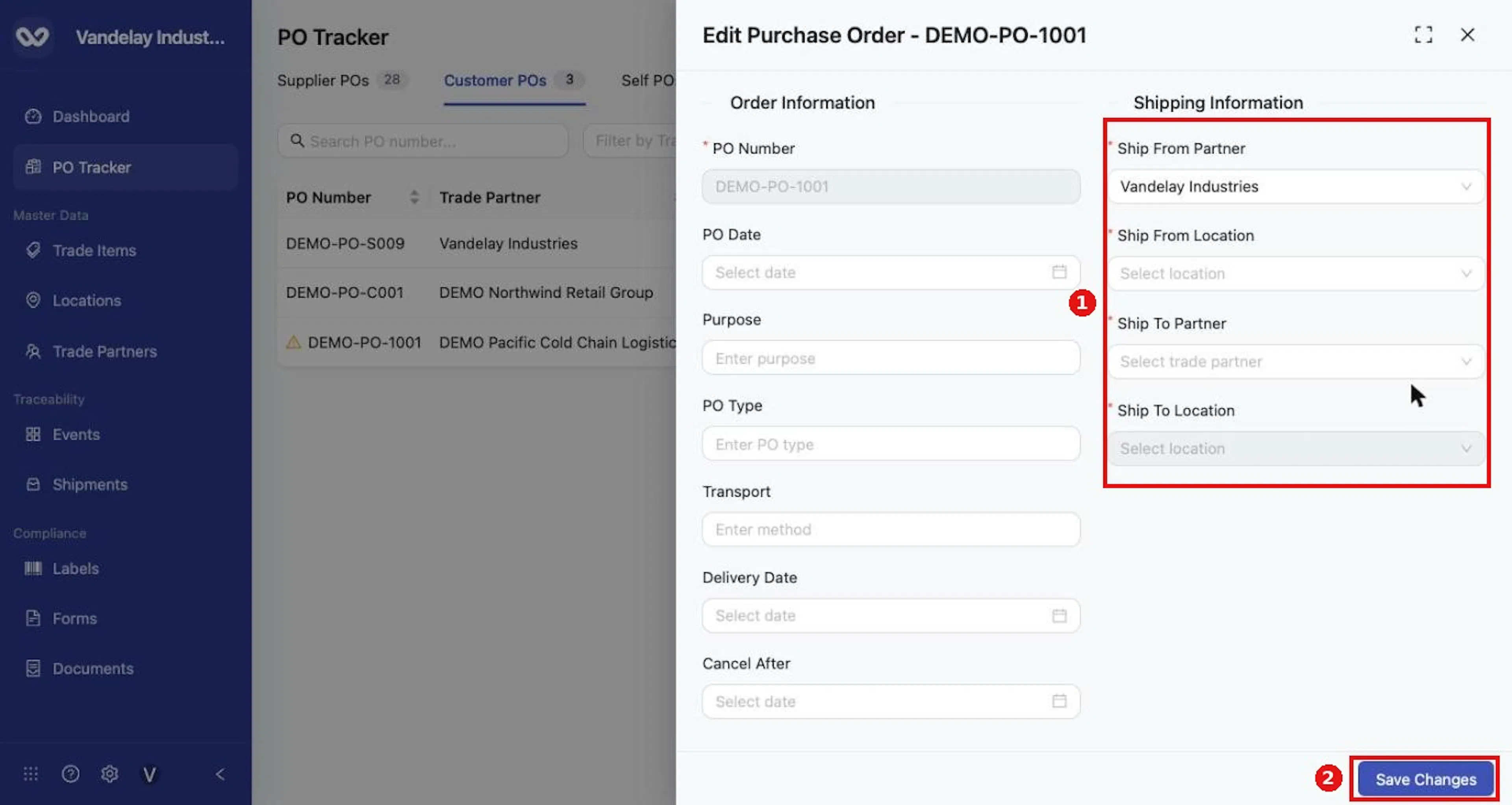
Select Save Changes
Select Save Changes.
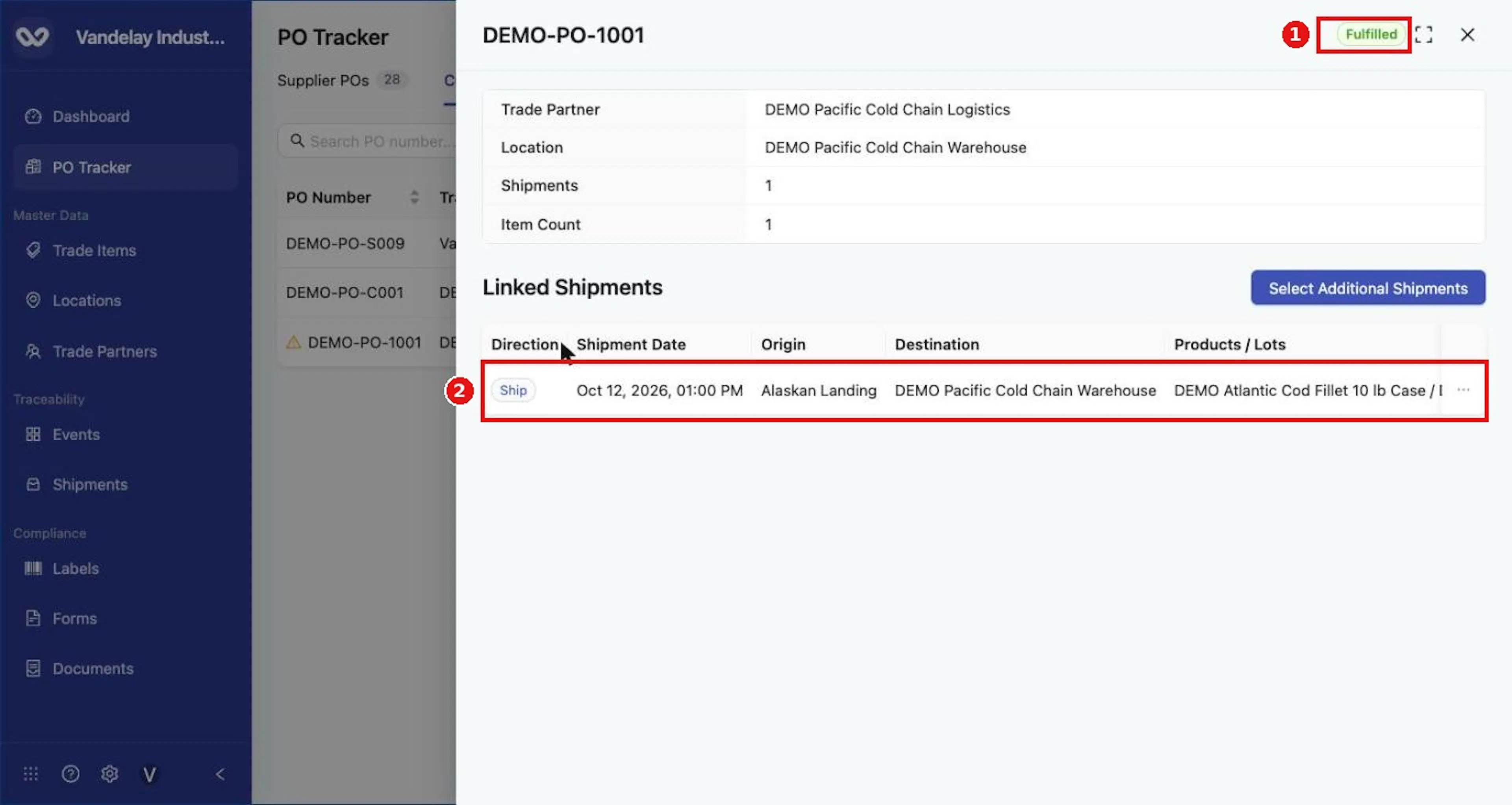
Expected result. The PO keeps its linked events and status, and now carries full details.
Field and action reference
Auto-created purchase orders
Ship and receive events can create tracker records automatically, using the origin and destination ownership rules in Tabs. These rows begin with a yellow warning triangle; the tooltip reads Warning: PO missing details. The details are missing because the record came from a traceability event rather than a PO entered first. The warning does not mean the shipment is invalid.
A PO added manually or by bulk upload starts from entered PO details. An auto-created PO starts from the event. Select ... then Add Details to open Edit Purchase Order and complete the missing details (see Edit Purchase Order).
Ship and receive events link to a PO automatically when the PO number and the Trade Partner from the PO details match. For events without a match, use Shipments drawer.